
The smarter way to take measurements and analyze charts

Streamline your chart analysis with our Better Ruler drawing tool for NinjaTrader 8. Quickly measure key metrics with just two clicks and instantly view multiple values, all displayed clearly on your chart.
This powerful tool lets you customize which measurements you want to see, giving you full control over your trading insights. Whether you want to track time ranges, price movements, or volume, our Better Ruler has you covered with a comprehensive set of configurable metrics:
- View the time ranges in minutes, hours, or days
- View the number of bars within your selected range
- View the price changes in absolute values, percentage, ticks, pips, or boxes (for Point and Figure charts)
- View the dollar value change for a single unit (e.g., one share) within your selected price range
- View the sum of volume over your selected range
Designed for traders who demand speed, accuracy, and flexibility, this tool empowers you to make faster, more informed trading decisions. Don’t settle for NinjaTrader’s basic ruler, upgrade to our Better Ruler and gain a competitive edge with every chart you analyze.
Two drawing options to fit your charting style
Ruler with rectangle highlight
Clearly marks your measurement area with a rectangle.

Ruler with line highlight
A sleek, minimalistic alternative that draws a line between your two measurement points.

Customizable labels for clearer insights
Price labels
Easily toggle labels for the lowest and highest prices within your measurement area to quickly spot key price levels.

Time labels
Easily toggle labels for the oldest and latest time within your measurement area to track exact time effortlessly.

Flexible viewing modes
Choose between Compact and Normal viewing modes to fit your chart layout and personal preference.
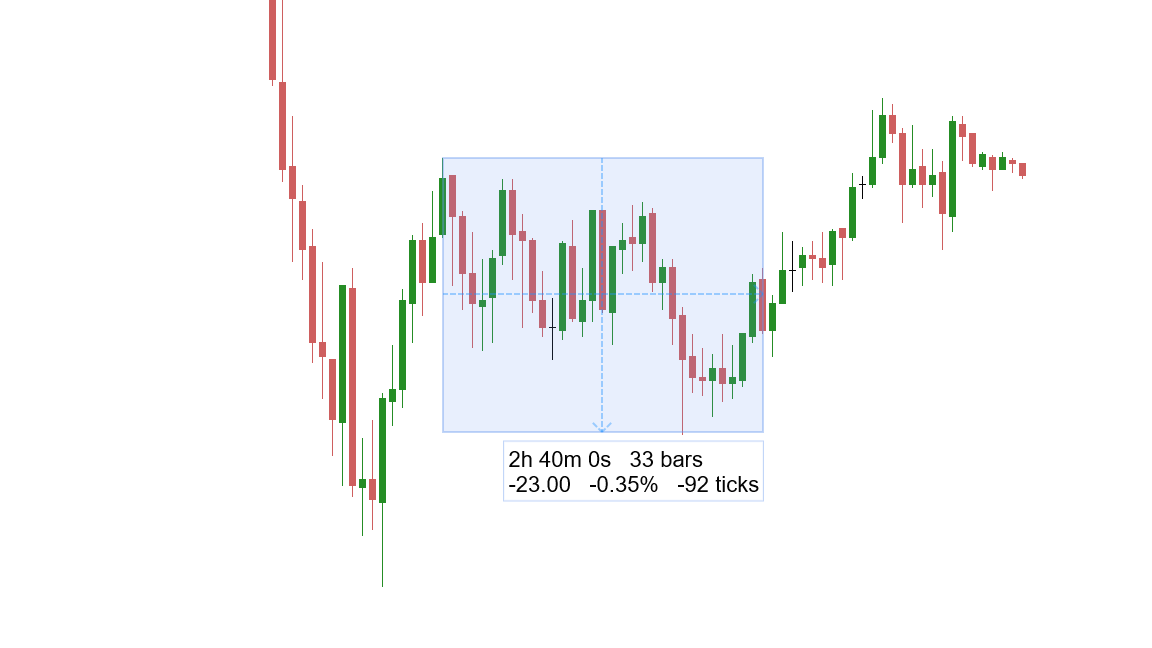
Compact Mode
Saves horizontal space by stacking measurement values vertically, keeping your chart clean and uncluttered.
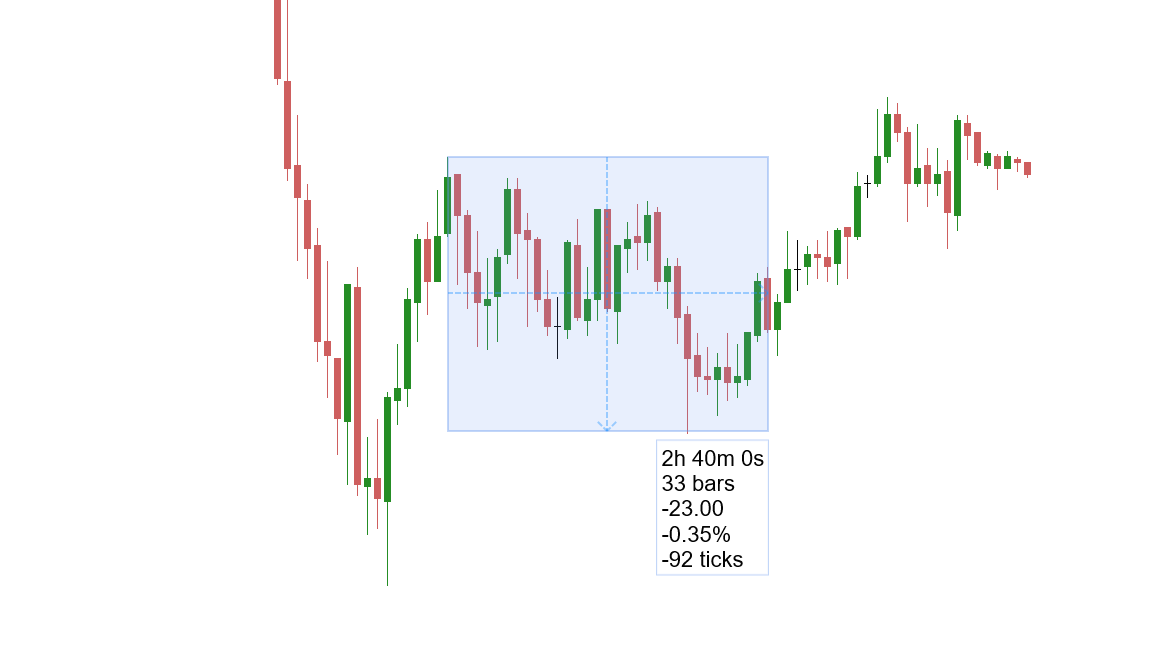
Normal Mode
Uses more horizontal space but less vertical height, presenting measurements in a streamlined, easy-to-read layout.

Enhanced anchor adjustment
Easily control your ruler anchors adjustment using keyboard modifiers:
- Hold Alt to move the anchor vertically only for precise up-and-down adjustments.
- Hold Shift to move the anchor horizontally only for exact side-to-side adjustments.
Want to explore all the features this product has to offer?
Our comprehensive user guide covers setup, advanced functionality, and pro tips. View the user guide ->
Better Ruler
Indicator for NinjaTrader 8.
Pay once, use forever on 1 computer.
Free updates for 1 year.
30-day money-back guarantee.
Compatible with NinjaTrader 8 desktop version 8.1.2.0 or later.
Not compatible with NinjaTrader Mobile Trading App.
Not ready for a one-time purchase? Try our Subscription service to enjoy all our products.